BrokeNeck Audio
BrokeNeck Audio

Plugins for heavy music and beyond

Amps and pedals for Windows. VST3 + Standalone.

Broketone amp and pedalboard

Halloween deal · through Oct 31

Halloween Deal: Broketone $4.99

$19.99$4.99
CodeBROKEHALLOWEEN

$15 off with code BROKEHALLOWEEN, through Halloween night, Oct 31.

Get Broketone for $4.99

Products

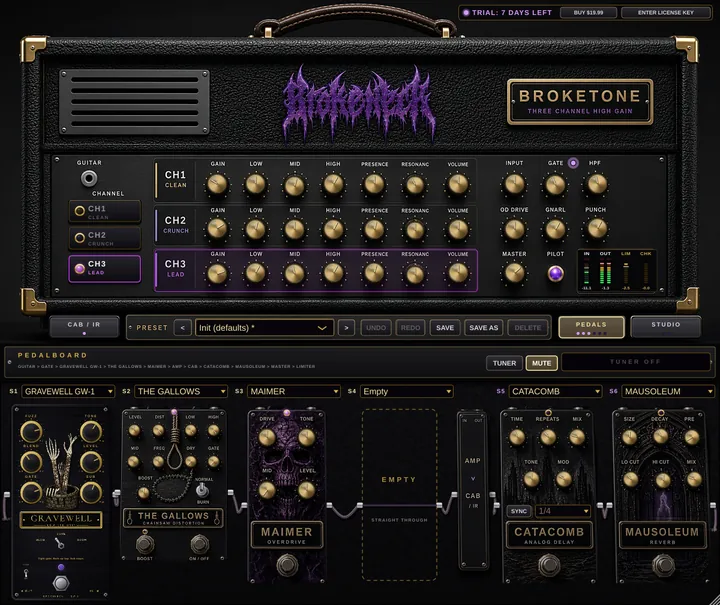
Broketone amp and pedalboard
Amp suite$19.99

Broketone

Guitar amp, cab and 6-slot pedalboard for modern heavy tones.

Buy on Gumroad
Gravepump bass amp and cabinetComing soon
Bass amp$19.99

Gravepump

A bass amp with its own pedalboard is on the way.

--days--hrs--min--sec
In the works
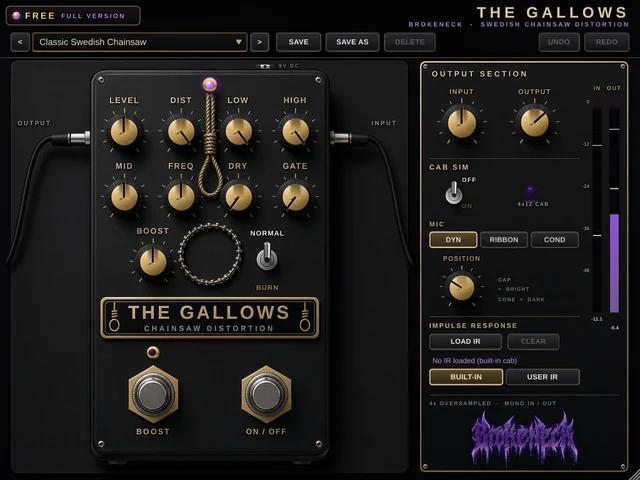
The Gallows distortion
DistortionFree

The Gallows

Chainsaw distortion pedal for guitar.

Download free
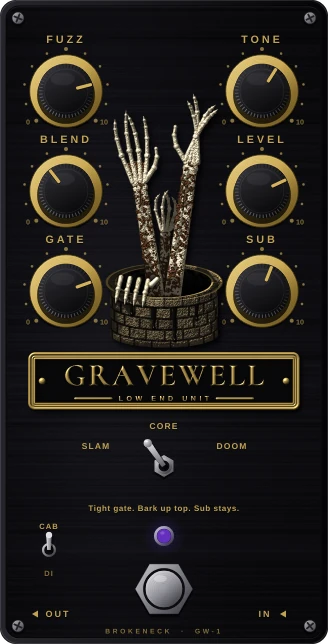
Gravewell GW-1 bass fuzz
Bass fuzzFree

Gravewell GW-1

Bass fuzz for slam, deathcore and doom.

Download free
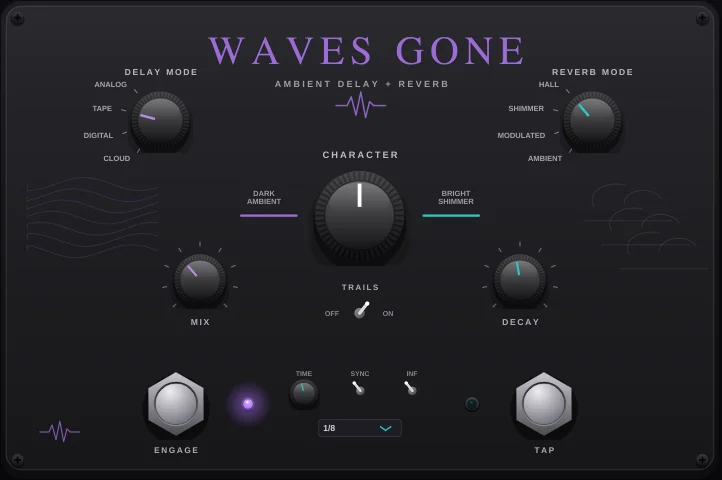
Waves Gone delay and reverb
Delay + reverbFree

Waves Gone

Ambient delay and reverb. Four modes each, zero latency.

Download free
EarthsplitterComing soon
Coming soonComing soon

Earthsplitter

In the works
GraveVox scream vocal processorComing soon
Vocal processorComing soon

GraveVox

Deathcore scream vocal processor: gate, EQ, compressor, grit, doubler and an octave-down Abyss layer. VST3 + Standalone, Windows.

In the works

How to install

Windows 10/11, 64-bit. VST3 plugin and Standalone app. The same steps work for every BrokeNeck Audio plugin. Just swap in the plugin's name.

  1. Windows File Explorer: right-click the zip, choose Extract All, then click Extract
    Step 01

    Unzip the download

    Right-click the .zip you downloaded and choose Extract All…, then click Extract and keep the folder Windows suggests. Don't load the plugin from inside the zip.

  2. Dragging the Broketone.vst3 folder into the Common Files VST3 folder and clicking Continue on the admin permission prompt
    Step 02

    Move the VST3

    Drag the whole Broketone.vst3 folder into C:\Program Files\Common Files\VST3. Paste that path into the address bar to get there, then click Continue on the admin prompt.

  3. REAPER Preferences VST page with the Re-scan menu open, and the Add FX window showing VST3: Broketone (BrokeNeck Audio)
    Step 03

    Rescan your DAW

    In REAPER: Options > Preferences > Plug-ins > VST > Re-scan > Re-scan VST paths for new/modified plug-ins. Open a track's FX browser and search for the plugin. It shows as VST3: Broketone (BrokeNeck Audio).

  4. Option A: the Broketone setup wizard. Option B: the unzipped Standalone folder with Broketone.exe highlighted
    Step 04

    Standalone app

    Run the Setup .exe and click Next > Install > Finish. It installs the app and the VST3 for you. Or unzip the Standalone zip anywhere and open Broketone.exe. If SmartScreen appears, click More info > Run anyway.

Tap any screenshot to open it full size.

Coming soon

Mac version coming soon. BrokeNeck Audio plugins are Windows-only for now. Mac install steps will be here once the Mac build is ready.

About

BrokeNeck Audio comes from a place you never thought you could get to, with your own sound that can be shaped however you want it.

Contact

Questions, bug reports or a tone you want to chase? Get in touch.

Get BrokeNeck drops first

New plugins, free pedals and launch codes, straight to your inbox. No spam.

Join the list